Thursday, October 26, 2023
EVE-NG cheet-chaat
Friday, June 23, 2023
core-sw configuration
interface FastEthernet 1/0
switchport trunk encapsulation dot1q
switchport trunk allowed vlan 1-2,1002-1005,80,90
switchport mode trunk
ip name server 8.8.4.4 & 192.168.16.2
no shutdown
interface FastEthernet 1/2
switchport trunk encapsulation dot1q
switchport trunk allowed vlan 1-2,1002-1005,80
switchport mode trunk
no shutdown
interface FastEthernet 1/3
switchport mode access
switchport access vlan 80
no shutdown
interface FastEthernet 1/4
switchport trunk encapsulation dot1q
switchport trunk allowed vlan 1-2,1002-1005,90
switchport mode trunk
no shutdown
do show ip int br
show int status
Tuesday, April 18, 2023
GNS3 Setup with VmWare Vm

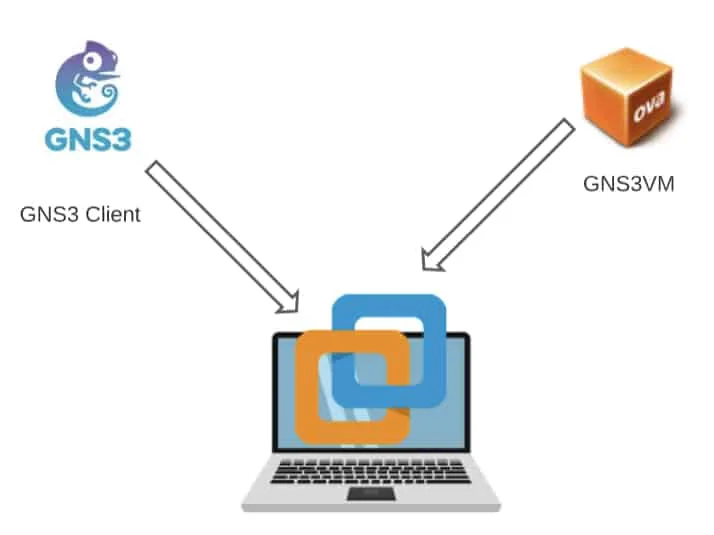
Firstly, This is the very common method of installing the GNS3 software. First you install and configure the GNS3 client on the machine. And then you configure the GNS3VM in the VMware workstation.
In
this method both the GNS3 client and the VM runs on the same machine.
1st: need same version of gns3 software, gns3 vm.ovf and vmware workstation (2.2.38)
2nd: 1st network adapter (eth0) must need to be in NAT(vmnet8), add more as per your need.
3rd: install gns3 software now.
than preferrence e jeye server> enable local server >host binding (NAT IP dekiye dewa lagbe)
gns3 VM > enable gns3 vm >Vm machine ta dekiye deya lagbe
installation done
link: https://getlabsdone.com/how-i-have-setup-my-gns3-10-easy-steps/
Tuesday, February 21, 2023
PfSense Setup
1. Host PC:
need 2 vartual adapter one is NAT other is host only
NAT IP 192.168.12.1 SM: 255.255.255.0
LAN-10: 192.168.10.2 SM 255.255.255.0
no gateway for both
2. VM setup and install pfsense
1st e install dia LAN IP set korbo 192.168.10.1>>24>> enter >enter>no GW>no dhcp> enter
Then, open browser and access.
1st adapter for WAN: type NAT (IP: 192.168.12.104/24 GW: 192.168.12.2 je GW ta VM NAT e auto create hoi) ba original home ba office er router er IP and GW use kora jabe .
2nd adapter LAN-10 (IP: 192.168.10.1 GW: no need)
now auto net peye jabe r kichu kora lagbe na.
System > Routing e wan er GW dekabe. static route lage na 1st e.
Status > GW te gele GW online dekabe jodi net take taile.
VMware_Mikrotik load balance and failover
Senario: WAN-1 (Primary): IP: 192.168.99.120/24 Gateway: 192.168.99.1(IP>Route e দিতে হবে পরে ) Interface: wan-1 ধরুন এটি ether1 পোর্ট...
-
Step 1: Run > cmd > ipconfig /all Looks to see which IP is the preferred and if autoconfiguration is on. Step 2: netsh interface ipv...
-
Senario: WAN-1 (Primary): IP: 192.168.99.120/24 Gateway: 192.168.99.1(IP>Route e দিতে হবে পরে ) Interface: wan-1 ধরুন এটি ether1 পোর্ট...